
Cloud Takeoff Software for Accurate Construction Estimates
By Sai Vamshi in Construction Estimating Software, earthworksos Posted May 1, 2026 Tags 3d takeoff software,cloud takeoff software,Digital Takeoff Software for Construction,earthworks software
How Does Cloud Takeoff Software Improve Construction Estimating Accuracy?
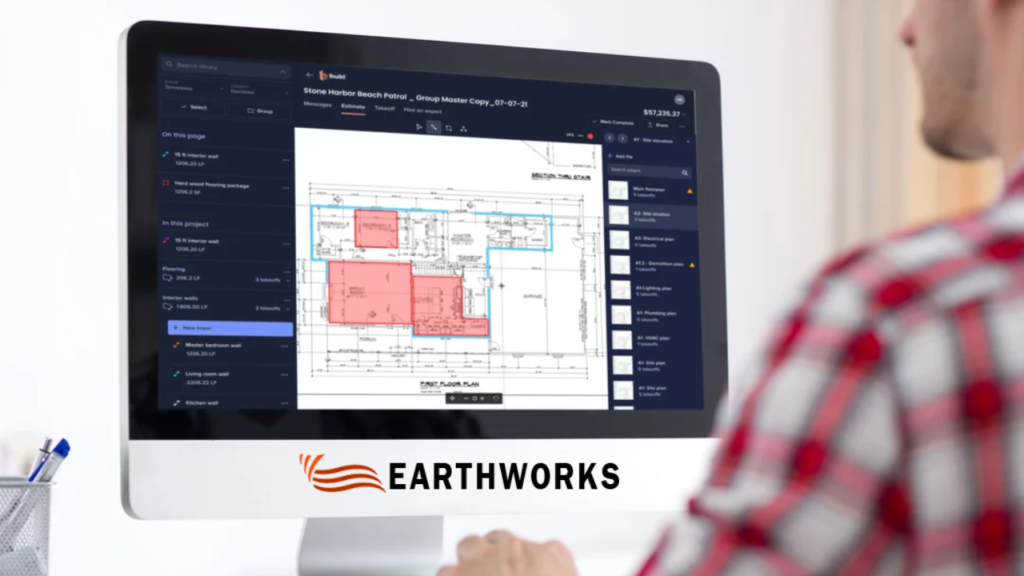
If you’ve ever spent hours measuring drawings manually, you already know how easy it is to make small but costly mistakes. That’s where cloud takeoff software starts to change the game. Instead of relying on paper plans or scattered tools, everything moves into one connected space where measurements, calculations, and updates happen in real time.
For contractors and estimators, this shift isn’t just about speed. It’s about clarity, consistency, and having confidence in the numbers you present.

What Is Cloud Takeoff Software and Why Does It Matter?
At its core, cloud takeoff software allows you to measure digital plans directly from your browser. No installations. No version confusion. Just access from anywhere.
But the real value goes beyond convenience.
Here’s why it matters:
- You’re working on the latest drawings
- Your team sees the same data in real time
- Changes may not require starting over
- Calculations update automatically
That means fewer errors creeping into your estimates—and fewer surprises later in the project.
How Does It Save Time During Estimating?
Time is one of the biggest pressures in construction bidding. Deadlines can sneak up on you, and missing even one might mean losing the job altogether.
With cloud-based tools, a lot of the manual effort reduces.
Instead of:
- Printing drawings
- Using scale rulers
- Re-checking numbers repeatedly
You can:
- Measure directly on-screen
- Store templates for repeated tasks
- Reuse previous takeoffs for similar projects
Can It Really Reduce Human Errors?
Yes—and this is one of the biggest advantages.
Manual takeoffs often involve:
- Repetitive calculations
- Switching between tools
- Writing down measurements
Every step introduces a chance for mistakes.
With cloud takeoff software, many of these risks are minimized because:
- Measurements are calculated automatically
- Units stay consistent
- Data is stored and organized in one place
You’re not relying on memory or handwritten notes anymore. Everything is tracked, visible, and easy to verify.
How Does Collaboration Improve with Cloud Tools?
Construction estimating is rarely a solo task. Teams often need to review, adjust, and approve numbers before submission.
Traditional workflows slow this down. Files get shared back and forth, and version confusion becomes common.
Cloud-based systems change that dynamic.
They allow:
- Multiple users to access the same project
- Instant updates across the team
This means fewer delays and less back-and-forth. Everyone stays aligned, even when working remotely.
Is It Suitable for Small and Growing Contractors?
Absolutely.
Why?
Because they usually:
- Handle multiple roles at once
- Have limited time for rework
- Need to stay competitive on bids
Cloud tools level the playing field. You don’t need a large estimating department to produce accurate, professional takeoffs. With the right system, even small teams can deliver results that match larger firms.
What Features Should You Look For?
Not all tools are built the same. When choosing a solution, it helps to focus on features that actually improve your workflow.
Look for:
Simple interface – easy to learn and use
Accurate measurement tools – for different materials and surfaces
Cloud storage – so your data is always accessible
Project organization – keep everything structured
Export options – for sharing estimates quickly
The goal isn’t just to adopt technology—it’s to make your daily work smoother.
How Does It Help You Win More Bids?
Accurate estimates don’t just protect your margins—they also make your proposals stronger.
When your numbers are clear and consistent:
- You can price jobs more confidently
- You reduce the risk of underbidding
- Clients trust your estimates more
Speed also plays a role. The faster you can complete a reliable takeoff, the quicker you can submit your bid.
In competitive markets, that timing can make a real difference.
Is It Difficult to Transition from Traditional Methods?
This is a common concern, especially for teams used to manual processes.
The good news is that most modern platforms are designed to be user-friendly.
Transition usually looks like:
- Uploading your first set of drawings
- Learning basic measurement tools
- Gradually replacing manual steps
Within a short time, the workflow starts to feel more natural than the old way. And once you experience the efficiency, going back becomes hard to imagine.
Why Are More Construction Teams Moving to the Cloud?
The industry is evolving, and expectations are changing.
Clients want faster responses. Projects are becoming more complex. Teams are more distributed than ever.
Cloud solutions support all of this by offering:
- Flexibility
- Real-time access
- Better data management
It’s not just about keeping up—it’s about working smarter in a competitive environment.
Conclusion
Switching to cloud takeoff software isn’t just a technical upgrade. It’s a practical step toward improving how you estimate, collaborate, and deliver results.
For businesses using Earthworks in San Diego, the focus is simple: make takeoffs easier, faster, and more reliable without adding unnecessary complexity.
If your current process feels slow or prone to errors, this shift could be exactly what your workflow needs.
Call: +1 (800) 748-6636
Visit: https://earthworksos.com/

Recent Comments