Excavation Software | Earthworks for Accurate Quantity Takeoffs

What Is Excavation Software and How Does It Improve Takeoffs?

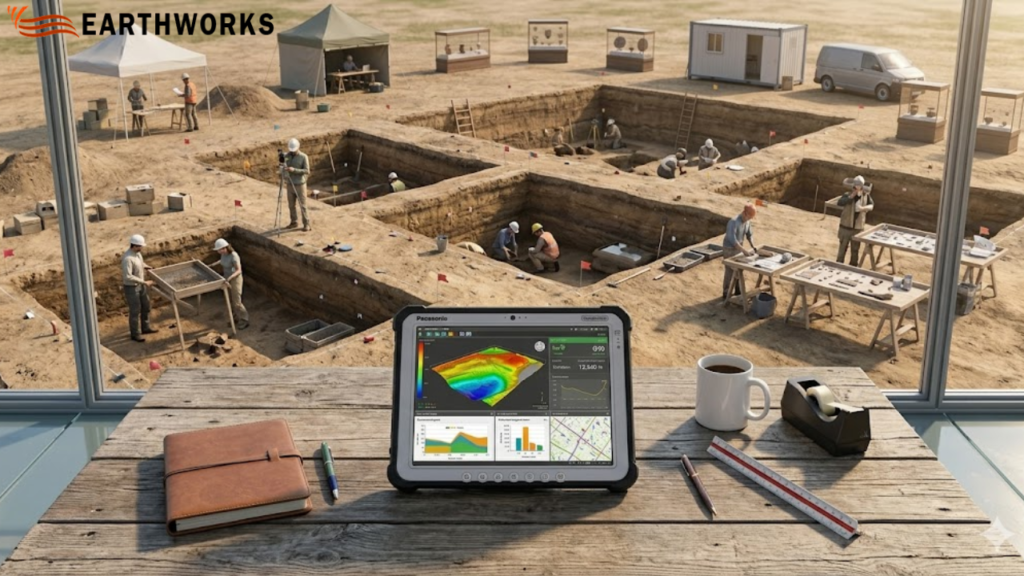
Excavation software displaying digital takeoff data and quantity estimates for an active excavation project site

At Earthworks, we focus on solving one of the most time-sensitive problems in construction estimating—turning drawings into accurate earthwork quantities without unnecessary delays or manual errors.

That’s why excavation software sits at the core of how Earthworks helps contractors, estimators, and civil teams move from project drawings to reliable cut-and-fill calculations in a faster, more controlled way.

Instead of spending hours tracing plans or building spreadsheets from scratch, Earthworks is designed to streamline the estimating process using structured digital takeoffs directly from PDF and CAD files.

The result is simple: clearer quantities, faster turnaround, and more consistent estimates.

Built for real estimating challenges in construction

Earthworks is designed specifically for excavation takeoffs and earthwork estimation workflows. It focuses on accuracy at the earliest stage of project planning—where most cost and time risks begin.

With Earthworks, users can:

  • Import PDF and CAD drawings for direct measurement
  • Perform digital excavation takeoffs on plan surfaces
  • Generate cut, fill, and net volume calculations
  • Reduce manual tracing and spreadsheet dependency
  • Work with structured, repeatable estimating workflows

Everything is built around improving speed and consistency in earthwork estimation.

How excavation software improves estimating accuracy

Traditional excavation estimating depends heavily on manual interpretation, which often leads to variation between estimators and repeated corrections later in the process.

Using digital tools, design drawings are converted into measurable surfaces. 

This allows users to:

  • Measure volumes directly from design files
  • Compare existing and proposed surfaces with precision
  • Automatically calculate cut, fill, and net quantities
  • Reduce interpretation errors from scaled drawings
  • Update quantities quickly when plans are revised

By linking every calculation directly to the drawing, Earthworks reduces uncertainty in early-stage estimating.

Why accuracy matters in excavation takeoffs

In construction estimation, even small errors can scale into significant cost differences across an entire project.

Common issues Earthworks helps reduce include:

  • Inconsistent manual measurements
  • Errors from scaling or drawing interpretation
  • Repetitive recalculation during revisions
  • Variations between estimators
  • Time lost in rework and correction cycles

Earthworks is designed to bring consistency to a process that is traditionally fragmented across tools and spreadsheets.

A structured workflow designed for clarity

Earthworks is built to keep the estimating process simple, structured, and repeatable.

A typical workflow includes:

  • Uploading project drawings (PDF or CAD)
  • Defining site surfaces for measurement
  • Running excavation and fill calculations
  • Reviewing cut, fill, and net results
  • Updating takeoffs when drawings change

This structured approach helps reduce unnecessary complexity and keeps estimation focused on output accuracy.

Reducing estimation risk with better data control

One of the key advantages of Earthworks is improved control over estimating data.

With digital tools, teams can: 

  • Maintain consistency across multiple estimates
  • Reduce manual calculation errors 
  • Ensure updates reflect across all quantities
  • Standardize reporting outputs
  • Support more consistent and reliable bid preparation 

This level of control helps reduce risk during early project planning, where accuracy has the highest financial impact.

Why contractors and estimators use Earthworks

Earthworks is designed for professionals who need reliable earthwork quantities without spending excessive time on manual processes.

Teams choose Earthworks for:

  • Faster digital takeoffs compared to manual methods
  • Reduced reliance on spreadsheets and manual tracing
  • Clear, structured earthwork estimation workflow
  • Easy handling of drawing revisions
  • Focused functionality for excavation estimating only

It is built to support estimating teams that prioritize speed, accuracy, and repeatability.

Trust and reliability in estimating workflows 

Earthworks is developed around a principle of measurable accuracy—helping ensure outputs are based directly on source drawings rather than manual interpretation. 

This improves:

  • Experience: Built around real-world estimating workflows
  • Expertise: Focused on excavation and earthwork takeoffs
  • Authority: Designed specifically for construction estimating use cases
  • Trust: Transparent, drawing-based measurement system

Keeping calculations grounded in design data helps improve clarity in early-stage project estimates. 

Where excavation software is heading in construction

The estimating process in construction is rapidly becoming more digital and data-driven.

With digital excavation tools, the industry is moving toward:

  • Faster, more repeatable digital takeoffs
  • Reduced reliance on manual measurement workflows 
  • More consistent quantity forecasting 
  • Standardized estimating outputs across teams
  • Improved handling of drawing revisions

Earthworks fits into this shift by focusing strictly on excavation and earthwork estimation workflows.

Final thoughts

Earthworks in San Diego is built to help construction teams produce faster, more accurate excavation takeoffs.

Replacing manual measurement with structured digital workflows improves consistency in quantity calculations and reduces time spent on repetitive estimating tasks.

From design drawings to earthwork quantities, the process becomes clearer, faster, and more reliable—giving teams greater confidence in every estimate.

For modern construction estimating, that clarity is not just helpful—it’s essential.

READ MORE

Earthworks Takeoff Software | Improve Cut & Fill Accuracy Fast

What Is Earthworks Takeoff Software and How Does It Work?

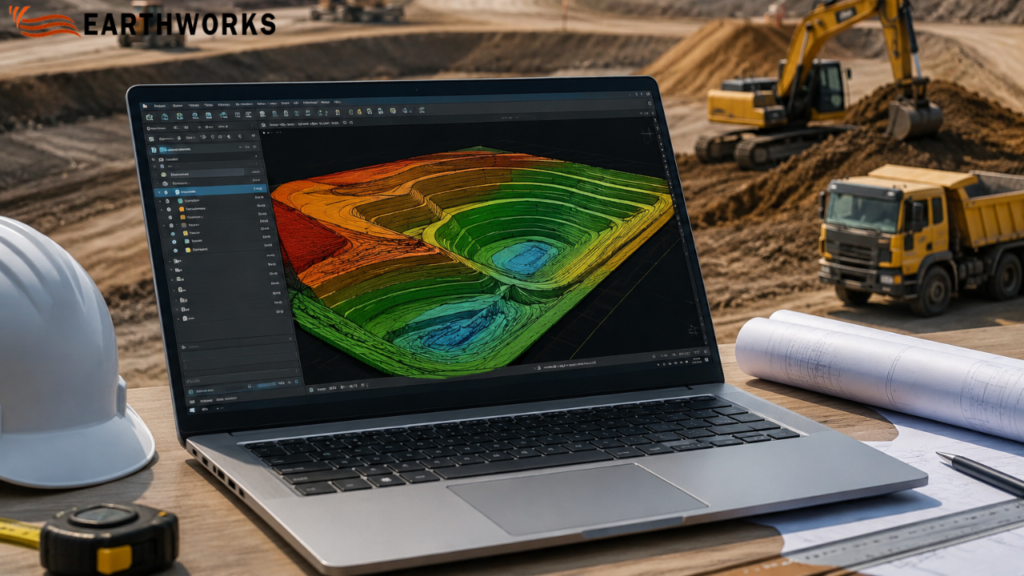
Earthworks takeoff software displaying cut and fill calculations and 3D terrain modeling for construction estimating

If you work on construction estimation, you already know how critical accuracy is when planning excavation, grading, and site preparation. So what exactly is Earthworks takeoff software, and why is it increasingly used in modern construction workflows? 

Simply put, it is a digital tool used to measure, calculate, and estimate soil movement quantities—such as cut, fill, and grading—directly from construction drawings or site plans with high accuracy. 

Instead of manual measurement, it automates calculations and helps contractors produce more consistent estimation outputs in construction projects.

What Is Earthworks in Construction?

Earthworks takeoff software is used to support calculation of cut, fill, and grading quantities from design drawings during early-stage estimation. 

It typically includes:

  • Site clearing and grading
  • Excavation for foundations
  • Road and infrastructure preparation
  • Landscaping and leveling
  • Cut-and-fill balancing

In simple terms: It is used to calculate cut, fill, and grading quantities directly from construction drawings. 

What Does Earthworks Takeoff Software Actually Do?

Earthworks takeoff software calculates material quantities from digital construction drawings using automated measurement workflows. 

Direct answer:

It measures cut and fill volumes by analyzing terrain surfaces and elevation data from construction drawings. 

This eliminates manual calculations and helps reduce manual calculation errors.

How Does Earthworks Takeoff Software Work?

The process is structured and data-driven:

  1. Import CAD drawings or PDF site plans 
  2. Define site boundaries and existing terrain
  3. Mark proposed grading or design surfaces
  4. Software calculates cut, fill, and total volume differences
  5. Generate reports for cost estimation and planning

Why Is Earthworks Takeoff Software Important?

Construction bidding is highly competitive, and even small errors in estimation can lead to major financial loss.

Here’s why this software matters:

  1. Improves Estimation Accuracy

It reduces human error in calculating soil volumes and elevation differences.

  1. Speeds Up Bid Preparation

Estimates that used to take days can now be completed in hours.

  1. Project Planning Workflows 

Contractors can better plan equipment, labor, and material usage.

  1. Supports Cost Planning 

Accurate cut-and-fill data supports better cost planning and helps reduce unexpected site costs. 

  1. Supports Better Decision-Making

Teams can compare design options and optimize Earthworks strategies.

What Problems Does It Solve in Real Projects?

Problem: Manual measurement errors

Even small mistakes in elevation readings can distort total cost.

Solution:

Automated calculations help reduce errors in quantity takeoffs. 

Problem: Delayed bidding process

Digital takeoff workflows help speed up bid preparation. 

Solution:

Digital tools speed up the entire planning workflows.

Problem: Unclear terrain understanding

3D tools help visualize terrain from design drawings. 

Solution:

3D visualization provides a clear view of site conditions.

Problem: Budget uncertainty

More consistent quantity calculations support cost planning. 

Solution:

More precise volume calculations support better financial planning and control 

Who Uses Earthworks Takeoff Software?

This technology is used across multiple construction roles:

  • Civil engineers
  • Estimators and quantity surveyors
  • Construction project managers
  • Earthmoving contractors
  • Infrastructure developers

Even small contractors working on Earthworks projects now use it to stay competitive in bidding.

Is It Only Useful for Large Construction Companies?

No, and this is a common misconception.

While large firms were early adopters, smaller businesses now benefit equally because:

  • Bid competition is tighter
  • Clients expect faster estimates
  • Margins are more sensitive
  • Accuracy directly impacts profitability

Even small-scale Earthworks projects like residential grading or local roadworks benefit from digital takeoff tools.

What Features Make Good Earthworks Takeoff Software?

Not all tools offer the same level of precision or usability.

Key features to look for:

  • 2D and 3D terrain modeling
  • Automated cut and fill calculations
  • CAD file compatibility
  • Real-time measurement updates
  • Custom reporting for bids
  • Cloud-based collaboration tools

The goal is not just automation—but reliable, repeatable accuracy in Earthworks estimation.

Can It Fully Replace Manual Estimation?

No, but it significantly reduces reliance on manual work.

Clear answer:

It automates major calculation tasks, but human expertise is still needed for interpretation, assumptions, and site-specific adjustments.

So instead of replacing estimators, it enhances their efficiency.

Why Is It Becoming Industry Standard?

Construction workflows are increasingly using digital tools for estimation, measurement, and reporting. Earthworks takeoff software is used in these workflows for quantity calculation from drawings. 

Final Answer: Is Earthworks Takeoff Software Worth It?

Yes—especially for any contractor involved in excavation, grading, or site preparation.

To summarize:

Earthworks takeoff software is a digital estimation tool that calculates cut, fill, and grading volumes from construction drawings to support estimation workflows in construction projects. 

For modern site preparation projects, it is no longer just a convenience—it is a competitive necessity.

READ MORE

Cloud Takeoff Software for Accurate Construction Estimates

How Does Cloud Takeoff Software Improve Construction Estimating Accuracy?


If you’ve ever spent hours measuring drawings manually, you already know how easy it is to make small but costly mistakes. That’s where
cloud takeoff software starts to change the game. Instead of relying on paper plans or scattered tools, everything moves into one connected space where measurements, calculations, and updates happen in real time.

For contractors and estimators, this shift isn’t just about speed. It’s about clarity, consistency, and having confidence in the numbers you present.

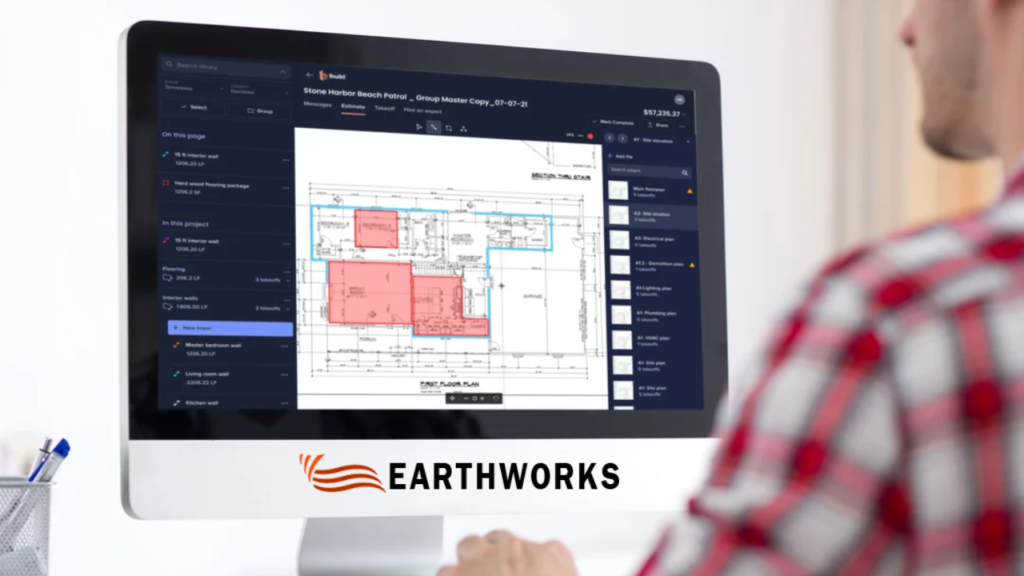
Cloud takeoff software

What Is Cloud Takeoff Software and Why Does It Matter?

At its core, cloud takeoff software allows you to measure digital plans directly from your browser. No installations. No version confusion. Just access from anywhere.

But the real value goes beyond convenience.

Here’s why it matters:

  • You’re working on the latest drawings
  • Your team sees the same data in real time
  • Changes may not require starting over
  • Calculations update automatically

That means fewer errors creeping into your estimates—and fewer surprises later in the project.

How Does It Save Time During Estimating?

Time is one of the biggest pressures in construction bidding. Deadlines can sneak up on you, and missing even one might mean losing the job altogether.

With cloud-based tools, a lot of the manual effort reduces.

Instead of:

  • Printing drawings
  • Using scale rulers
  • Re-checking numbers repeatedly

You can:

  • Measure directly on-screen
  • Store templates for repeated tasks
  • Reuse previous takeoffs for similar projects

Can It Really Reduce Human Errors?

Yes—and this is one of the biggest advantages.

Manual takeoffs often involve:

  • Repetitive calculations
  • Switching between tools
  • Writing down measurements

Every step introduces a chance for mistakes.

With cloud takeoff software, many of these risks are minimized because:

  • Measurements are calculated automatically
  • Units stay consistent
  • Data is stored and organized in one place

You’re not relying on memory or handwritten notes anymore. Everything is tracked, visible, and easy to verify.

How Does Collaboration Improve with Cloud Tools?

Construction estimating is rarely a solo task. Teams often need to review, adjust, and approve numbers before submission.

Traditional workflows slow this down. Files get shared back and forth, and version confusion becomes common.

Cloud-based systems change that dynamic.

They allow:

  • Multiple users to access the same project
  • Instant updates across the team

This means fewer delays and less back-and-forth. Everyone stays aligned, even when working remotely.

Is It Suitable for Small and Growing Contractors?

Absolutely. 

Why?

Because they usually:

  • Handle multiple roles at once
  • Have limited time for rework
  • Need to stay competitive on bids

Cloud tools level the playing field. You don’t need a large estimating department to produce accurate, professional takeoffs. With the right system, even small teams can deliver results that match larger firms.

What Features Should You Look For?

Not all tools are built the same. When choosing a solution, it helps to focus on features that actually improve your workflow.

Look for:

Simple interface – easy to learn and use

Accurate measurement tools – for different materials and surfaces

Cloud storage – so your data is always accessible

Project organization – keep everything structured

Export options – for sharing estimates quickly

The goal isn’t just to adopt technology—it’s to make your daily work smoother.

How Does It Help You Win More Bids?

Accurate estimates don’t just protect your margins—they also make your proposals stronger.

When your numbers are clear and consistent:

  • You can price jobs more confidently
  • You reduce the risk of underbidding
  • Clients trust your estimates more

Speed also plays a role. The faster you can complete a reliable takeoff, the quicker you can submit your bid.

In competitive markets, that timing can make a real difference.

Is It Difficult to Transition from Traditional Methods?

This is a common concern, especially for teams used to manual processes.

The good news is that most modern platforms are designed to be user-friendly.

Transition usually looks like:

  • Uploading your first set of drawings
  • Learning basic measurement tools
  • Gradually replacing manual steps

Within a short time, the workflow starts to feel more natural than the old way. And once you experience the efficiency, going back becomes hard to imagine.

Why Are More Construction Teams Moving to the Cloud?

The industry is evolving, and expectations are changing.

Clients want faster responses. Projects are becoming more complex. Teams are more distributed than ever.

Cloud solutions support all of this by offering:

  • Flexibility
  • Real-time access
  • Better data management

It’s not just about keeping up—it’s about working smarter in a competitive environment.

Conclusion 

Switching to cloud takeoff software isn’t just a technical upgrade. It’s a practical step toward improving how you estimate, collaborate, and deliver results.

For businesses using Earthworks in San Diego, the focus is simple: make takeoffs easier, faster, and more reliable without adding unnecessary complexity.

If your current process feels slow or prone to errors, this shift could be exactly what your workflow needs.

Call: +1 (800) 748-6636
Visit: https://earthworksos.com/

READ MORE

Digital Takeoff Software for Construction | Earthworks Tool

Why Use Digital Takeoff Software for Construction?

Are you spending hours manually measuring plans and calculating materials for your construction projects? Small errors in estimates can contribute to time delays or additional costs on projects. Earthworks offers a practical solution with its digital takeoff software for construction.

This software helps contractors, estimators, and project managers work faster and more accurately. Let’s look at how it works and why it’s a game-changer for your next project.


Digital Takeoff Software for Construction

What Is Digital Takeoff Software for Construction?

In the past, takeoff meant using rulers, highlighters, and calculators on paper plans. Digital takeoff software for construction moves that entire process to your computer. You upload blueprints or CAD files, and the software calculates material quantities for you.

With Earthworks, you can:

Instant Measurements: Get areas, lengths, and volumes with a few clicks.

Automatic Material Count: Automatically tally items like concrete, steel, and lumber.

Quick Report Generation: Generate data for bids and project schedules.

Seamless Integration: Integrate with your existing estimating and management tools.

The result is a much faster workflow with fewer manual errors, helping teams work more efficiently.

Why Are Construction Teams Switching to Digital Takeoff Software?

Even experienced estimators may occasionally make mistakes when hand-calculating thousands of measurements. A single misplaced decimal point can lead to budget issues or potential delays. This is where Earthworks’ digital takeoff software for construction makes the difference.

Key Benefits:

Improved Accuracy: Reduce the risk of errors compared with manual calculations.

Time Savings: Tasks that previously took many hours can often be completed more efficiently with Earthworks, depending on project complexity.

Faster Bidding: Generating estimates faster can help you bid on more projects and potentially improve your chances of winning work.

Reduced Material Waste: Precise numbers mean you order exactly what you need, reducing leftover materials on-site.

How Does Earthworks Fit Into Your Daily Workflow?

You might already have an estimator on staff, but Earthworks isn’t meant to replace them—it’s meant to make them more powerful. It supports every stage of the build:

Pre-Construction Planning: Quickly scan blueprints to see if a project is even worth bidding on.

Estimating: Provide your clients with a detailed, professional breakdown of costs.

Project Tracking: Use the takeoff data to track material deliveries and monitor progress against your original plan.

By keeping all your measurements in one digital file, your entire team stays on the same page.

Is This Software Useful for Small Contractors?

Many small business owners think high-tech tools are only for giant firms. That isn’t the case. Even smaller teams can find value in using digital takeoff software for construction.

Small teams may benefit significantly from using digital takeoff software, depending on their workflow and project types. Cloud-based tools allow you to check plans from the truck or the job site for convenience. It’s easy to learn, works with standard PDFs, and can help reduce the risk of ordering mistakes, potentially saving costs over time.

What Features Should You Look for in a Takeoff Tool?

Not all software is built the same. When choosing a tool, you should look for:

User-Friendly Interface: If it’s too complicated, it may be challenging for your team to use effectively. Earthworks is designed with a minimal learning curve.

Compatibility: It needs to work with the files you already get from architects.

Support: Look for a company that offers tutorials and real person-to-person help.

Common Questions

  1. Is it hard to learn?

No. Most users can perform basic takeoffs within their first hour of using the platform.

  1. Does it work with my current plans?

Yes. It supports PDFs, CAD files, and even scanned paper blueprints.

  1. Will it save me money?

By saving time on calculations and reducing material over-orders, many contractors report improved project efficiency.

Getting Started with Earthworks

Switching to a digital process is simpler than it sounds. Start by evaluating how long you currently spend on manual takeoffs. Try a demo of Earthworks in San Diego to see the tools in action. We recommend starting with one small project to get the hang of it before moving your entire company over.

Many users report finding it easier than paper-based methods and continue to use the software for future projects.

The Bottom Line

Construction is complicated enough without the stress of manual math. Digital takeoff software for construction is a practical tool that saves time and improves your bottom line. Having accurate data can play an important role in maintaining competitiveness in today’s fast-moving industry.

READ MORE

Estimating Software Takeoff | Smarter Earthworks Decisions

Is Estimating Software Takeoff the Missing Piece in Your Workflow?

How confident are you in your numbers before a project begins?

It sounds like a simple question, but in reality, it shapes everything that follows. Timelines, budgets, resources—none of it works smoothly without a reliable starting point.

Estimating Software Takeoff

That’s where estimating software takeoff begins to change things. At Earthworks in San Diego, the focus isn’t just on faster estimates, but on helping you ask better questions before the work even starts.

How Accurate Is Your Current Estimate?

When you review your numbers, do they feel solid—or is there a bit of uncertainty behind them?

Manual takeoffs often involve multiple steps, and each step introduces a small margin for error. Over time, those small gaps can add up.

With estimating software takeoff, accuracy becomes more consistent. Digital measurements and automated calculations reduce the guesswork, giving you numbers you can rely on with more confidence.

How Much Time Does Your Takeoff Really Take?

Think back to your last estimate.

How long did it take to go from plans to a final number?

  • A few hours?
  • Most of your day?
  • Even longer after revisions?

Time isn’t just about efficiency—it directly impacts how quickly you can respond to opportunities.

At Earthworks, the goal is to simplify that process. Digital takeoffs reduce the time spent on repetitive calculations, so you can focus on decisions instead of manual work.

What Happens When Plans Change?

A new revision comes in. A detail shifts. The scope evolves.

Now the real question—how easy is it to adjust your estimate?

Manual processes often mean starting over or double-checking everything line by line. It’s slow, and it leaves room for mistakes.

With software-based systems, updates flow through automatically. Instead of redoing the work, you’re simply refining it.

Are You Overestimating or Underestimating Materials?

This is where projects quietly lose control.

Too much material leads to waste and unnecessary cost.

Too little creates delays and last-minute stress.

Finding that balance manually isn’t always straightforward.

Using estimating software takeoff helps bring more precision into the equation. Quantities align more closely with actual requirements, making planning more stable from the start.

How Consistent Are Your Estimates?

If two people on your team worked on the same project, would they reach the same result?

Inconsistent estimates can create confusion—not just internally, but also when presenting to clients.

A structured system introduces consistency:

  • Standardized workflows
  • Clear measurement methods
  • Uniform outputs

At Earthworks, consistency isn’t about rigidity—it’s about making sure every estimate follows a reliable process.

How Clear Is Your Data?

When you look at your estimate, can you easily understand how each number was calculated?

Or does it take extra time to trace everything back?

Clarity plays a bigger role than most people realize. When data is easy to read and verify, decisions become easier too.

Digital takeoffs bring everything into one place:

  • Organized quantities
  • Transparent calculations
  • Easy-to-share report

You’re not just working with numbers—you’re working with information you can actually use.

Are You Planning Ahead—or Catching Up?

This question tends to reveal the bigger picture.

Are your estimates helping you stay ahead of the project, or are they forcing you to react as things unfold?

Inaccurate or delayed estimates often lead to reactive decisions:

  • Adjusting budgets mid-way
  • Reordering materials
  • Rushing timelines

A stronger takeoff process changes that. It gives you the clarity to plan instead of adjust.

Is Your Process Supporting You—or Slowing You Down?

Sometimes, the issue isn’t experience—it’s the system behind it.

Even skilled estimators can feel the strain of:

  • Repetitive manual calculations
  • Tight deadlines
  • Limited flexibility

That’s where Earthworks steps in—not to replace expertise, but to support it with better tools and smoother workflows.


So, What’s the Real Question?

It’s not whether estimates matter. You already know they do.

The real question is:

Are your current methods giving you the confidence to move forward without hesitation?

If there’s even a small pause in that answer, it might be time to rethink the process.

Because with the right approach—and the support of estimating software takeoff—you’re not just building estimates.

You’re building the foundation your entire project depends on.

Call: +1 (800) 748-6636

Visit: https://earthworksos.com/

READ MORE